How Much Energy Does My Gaming PC Use a Month: A Complete Guide
A gaming PC’s monthly electricity use comes down to how hard it runs, how long it runs, and the rate on your electricity bill. That total matters when you are tracking household energy use or trying to understand a rising bill. A kilowatt-hour (kWh) is the amount of energy a 1,000-watt device uses in one hour.
You can make a practical monthly estimate with the computer’s power draw, your hours of use, and your electricity rate. The calculation is simple, but your routine matters: a long gaming session uses a different amount of energy than lighter computer tasks. This guide gives you a way to apply the numbers to your own schedule without assuming one monthly figure fits every home.
Key Takeaways
- Power draw changes with the task, so gaming hours and lighter-use hours count differently.
- Convert watts to kilowatts before calculating energy in kWh.
- Your electricity rate turns energy consumption into an estimated cost.
- Include monitor use when estimating the full setup.
- A wall meter can show the complete system’s actual power draw.
Keep your electricity rate and a realistic daily-use estimate handy to make the calculations useful for your home.
How Much Energy Does My Gaming PC Use a Month?
A 400-watt gaming desktop used four hours a day consumes 584 kWh in a year, while eight hours a day doubles that to 1,168 kWh. Your hours matter: longer daily sessions increase energy consumption even when the computer’s power draw stays the same.
Related Posts:

The annual four-hour example costs $105.41 at the assumed rate of 18.05 cents per kWh. The eight-hour example costs $210.82 a year at that same assumed rate. These are annual examples, not monthly bills.
Estimate monthly use from daily gaming hours
To estimate use per month, start with the computer’s average watts during the activity, then multiply by your daily hours and the days in your estimate. A 30-day estimate uses 30 days. An annual average spreads yearly energy use across 12 months, so the two methods may produce different monthly figures.
A gaming PC electricity cost calculator follows a simple sequence. Record a reasonable wattage for the task, convert it to kilowatts, and multiply by use time. Your own routine may include both gaming and lighter computer use, so avoid treating every hour as a gaming session.
Calculate cost by multiplying watts divided by 1,000 by hours, days used, and your electricity rate.
That formula gives you a household-specific estimate when you enter your own use and rate. It also lets you adjust the result if your schedule changes, such as during a school break or a busier gaming month.
Turn monthly kilowatt-hours into a bill estimate
The U.S. average residential electricity price was 18.16 cents per kWh in August 2026. The annual examples above instead use an assumed rate of 18.05 cents per kWh, which is why that national average should not replace the rate on your own bill.
For a monthly estimate, calculate the expected kWh for your chosen 30-day period, then multiply by your electricity rate. The result estimates the computer’s electricity cost, not the full household bill. Your bill may also include other charges that are not part of this energy calculation.
Use the rate printed on your own electricity bill for a household-specific cost estimate.
How Much Power Does a Gaming PC Draw in Each Mode?
The same gaming PC can draw 100-150 watts at the desktop and 350-550 watts in a frame-rate-intensive game. The task changes the load, so one wattage figure cannot describe every hour the computer is on.
Graphics cards and processors are major power consumers during gaming. They work harder during demanding gameplay, and the system’s power draw shifts with game settings and workload.
Desktop tasks and lighter workloads
Web browsing, writing, and other lighter tasks put less demand on the components than a demanding game. A gaming computer can draw 100-150 watts at the desktop, though the exact reading depends on what is running.
Even on the desktop, the computer’s workload can rise briefly when applications update or perform background tasks. That is one reason a reading taken during a single moment may not match the average for a whole session.
Gaming load and graphics-intensive play
A frame-rate-intensive game can raise the draw to 350-550 watts. High graphics settings and a heavy workload ask more from the graphics cards and processor, so the same computer may use notably more energy in one game than another.
The table shows broad operating-state estimates. The sleep value applies to a modern desktop using S3 sleep; section 8 explains that mode in more detail.
| Operating state | Power draw | What the PC is doing |
|---|---|---|
| Desktop use | 100-150 watts | Lighter tasks |
| Frame-rate-intensive gaming | 350-550 watts | Demanding gameplay |
| Sleep, S3 | 2-5 watts | Low-power sleep state |
Sleep draws only a small amount
Sleep is a separate operating state from active desktop use or gaming. Its low draw is useful when estimating a full day that includes breaks, but it should not be counted as zero energy.
Treat any wattage estimate as a snapshot of a particular task, not a fixed draw for every hour the PC is on.
How to Calculate Gaming PC Electricity Use by the Hour, Day, or Month
A 400-watt gaming session lasting four hours consumes 1.6 kWh. That is session energy, not a full-day estimate unless gaming is the only time the computer is on.
Energy in kWh equals watts divided by 1,000, multiplied by hours. For the example, 400 divided by 1,000 equals 0.4 kilowatts; 0.4 multiplied by four hours equals 1.6 kWh.
Calculate energy for a gaming session
Use these steps for a single task. They turn a wattage reading into energy use, then into a cost estimate when you add your electricity rate.
- Record the PC’s wattage while doing the task.
- Divide the watts by 1,000.
- Multiply the result by the hours used.
- Multiply the kWh by your electricity rate to estimate cost.
For example, a 400-watt gaming session for four hours uses 1.6 kWh. If you play for a different length of time, change the hours in the calculation rather than assuming the same session total.
Scale the result to daily and monthly use
Daily energy is the sum of the time spent in different operating modes. A day might include gaming, desktop tasks, and time in sleep, each with a different draw. Applying a gaming wattage to all 24 hours can overestimate actual consumption.
The next table holds the draw at 400 watts in every row to show the arithmetic. The eight-hour and 24-hour rows are arithmetic examples, not measured typical use.
| Scenario | Assumed draw | Duration | Energy used |
|---|---|---|---|
| Gaming session | 400 watts | 4 hours | 1.6 kWh |
| Eight-hour arithmetic example | 400 watts | 8 hours | 3.2 kWh |
| 24-hour arithmetic example | 400 watts | 24 hours | 9.6 kWh |
To estimate a month, add your daily energy across the days you want to count. A 30-day estimate uses 30 days; a yearly average comes from annual energy divided across 12 months.
Separate gaming time from desktop and sleep time before multiplying out a full day.
How Much Electricity Do Monitors Add to a Gaming Setup?
A monitor adds its own electricity use on top of the PC’s draw. Each screen counts, so a dual-monitor setup adds the energy used by both displays.
A 24-inch LED monitor draws about 25 watts while in use. A 32-inch 4K display draws 45 watts, and a 34-inch ultrawide can draw 60 watts.
At eight hours of daily use, the annual costs below use an assumed electricity rate of 18.05 cents per kWh. They cover monitor electricity, not the computer’s energy consumption.
| Display type | Draw in watts | Annual cost at eight hours daily |
|---|---|---|
| 24-inch LED monitor | 25 watts | $13.18 |
| 32-inch 4K display | 45 watts | $23.72 |
| 34-inch ultrawide | 60 watts | $31.63 |
Two 24-inch monitors used eight hours daily add about $26.36 a year under the same 18.05-cent rate assumption. That is twice the single-monitor estimate because both screens are in use for the same amount of time.
Screen size, display type, brightness, and time in use affect the estimate. A larger screen does not tell the whole story by itself; display technology and settings also shape monitor power use.
Add each screen’s use to the computer total when estimating the complete setup.
How Can You Measure Your Gaming PC’s Actual Power Use?
A plug-in electricity meter gives a direct reading of the PC’s draw at the wall. That wall reading captures the electricity entering the computer, rather than estimating only selected components.
A Kill-A-Watt plug-in meter measures electricity use at the wall. Software tools such as HWiNFO64, GPU-Z, CPU-Z, and MSI Afterburner can monitor computer activity and component readings.
Software readings may be component-level estimates, not a full measurement of the computer’s wall consumption. A PSU calculator can also overstate actual consumption by 20-30%, so its result is better treated as an estimate than a direct reading.
For a useful comparison, record readings during desktop use and during a representative game session. Also note the hours spent in each mode; that makes it easier to match the measurement to your regular routine.
A wall meter can include the full computer’s electricity use, while software helps show how individual components behave during a task. The two methods answer related but different questions.
Measure the complete setup at the wall if you want the reading to include the PSU and connected equipment.
What Changes Can Reduce Gaming PC Power Consumption?
Capping a game’s frame rate at the monitor’s refresh rate, such as 144 fps, can cut average session wattage by 20 to 30 percent on a high-end card. The actual gain depends on the game and hardware.
A frame-rate cap can reduce power use without forcing you to lower every graphics setting. It limits how many frames the graphics card works to produce, which may help when the game otherwise runs above your display’s refresh rate.
Cap frame rates to match the display
Set the game’s frame-rate limit near the monitor’s refresh rate. For example, a 144-fps cap can reduce average session wattage by 20-30% on a high-end card, though your result will depend on the game and hardware.
A cap is most useful when the computer can already produce more frames than the display can show. If a game struggles to reach the selected limit, the cap may not change its power use much.
Reduce unnecessary background work
Close applications you do not need while gaming. Background applications can keep the processor or other components busy, so trimming them may reduce unnecessary work without changing the game’s visual settings.
RGB lighting is another optional load. Turning off RGB lighting can reduce power use, though the value of that change depends on whether the lighting matters to you.
Choose efficient parts and keep the PC clean
For lighter tasks, use power-saving settings when they suit the way you use the computer. They can reduce power consumption when you do not need full performance for everyday work.
Clean dust from fans and components so the cooling system does not face dust-related strain. Dust can make PC fans work harder to cool components, but cleaning is not a guaranteed reduction in measured power.
- Cap the frame rate at the monitor’s refresh rate.
- Close unnecessary background applications.
- Turn off RGB lighting if it is not important to you.
- Clean dust from fans and components.
- Use power-saving settings for lighter tasks.
Try one change at a time so you can tell whether it affects performance or comfort. Keep the adjustment only if the balance of smooth gameplay and lower power use works for you.
Does Sleep Mode Use Less Power Than Leaving a PC On?
A modern desktop in S3 sleep draws 2 to 5 watts, far below its active gaming draw. Sleep still uses electricity, but it can keep power use low while allowing a quick return to your work.
At 3 watts, leaving a desktop in sleep instead of shutting it down costs about $4.74 per year at the assumed rate of 18.05 cents per kWh. A 12-watt standby draw costs $18.97 a year at that same rate.
Windows Sleep uses very little power and lets the PC resume faster than hibernation. Hibernation uses less power than Sleep, but the computer takes longer to resume.
- Windows Sleep gives you a quick resume after a short break.
- Hibernation uses less power and resumes more slowly.
- Shutdown is a straightforward choice when you are finished for the day.
A PC left in Sleep is not using zero electricity. The annual figures show how even a small standby draw can add up when the computer remains in that state for many hours.
Choose the mode that fits how soon you need to return. Sleep favors convenience, while hibernation uses less power when you can wait longer for a resume.
Set an automatic sleep timer for breaks when you want a fast resume without leaving the PC fully active.
How Much Can a Gaming PC Raise Your Home Electricity Bill?
A gaming PC can raise your electricity bill, but its share depends on how much energy the complete setup uses. The rate matters too: the same kWh total costs more at a higher household electricity rate.
Estimate the setup’s monthly kWh, multiply by your household’s rate, and compare the result with the full bill. That gives you a practical way to judge the increase without mistaking the computer’s cost for the entire household charge.
Heating and cooling are the largest annual uses of electricity in the U.S. residential sector. A gaming PC is not automatically the home’s biggest electricity expense, even when you use it for long sessions.
The computer and displays also release heat into the room as they use electricity. That heat may affect the room, but its presence alone does not provide a supported figure for any added cooling cost.
Use the complete setup’s estimated energy consumption when you want to compare gaming with other household devices. Include the PC and displays, then apply the electricity rate shown on your bill.
Compare the setup’s estimated cost with the full household bill before deciding whether it is a major expense.
What Does Your PSU’s Wattage Rating Actually Mean?
A PSU labeled for a particular wattage does not draw that amount continuously from the wall. The label describes capacity, not the computer’s regular power consumption.
A PSU’s wattage rating describes its rated output capacity. The PC draws power according to its workload, and the amount taken from the wall also includes conversion losses inside the PSU.
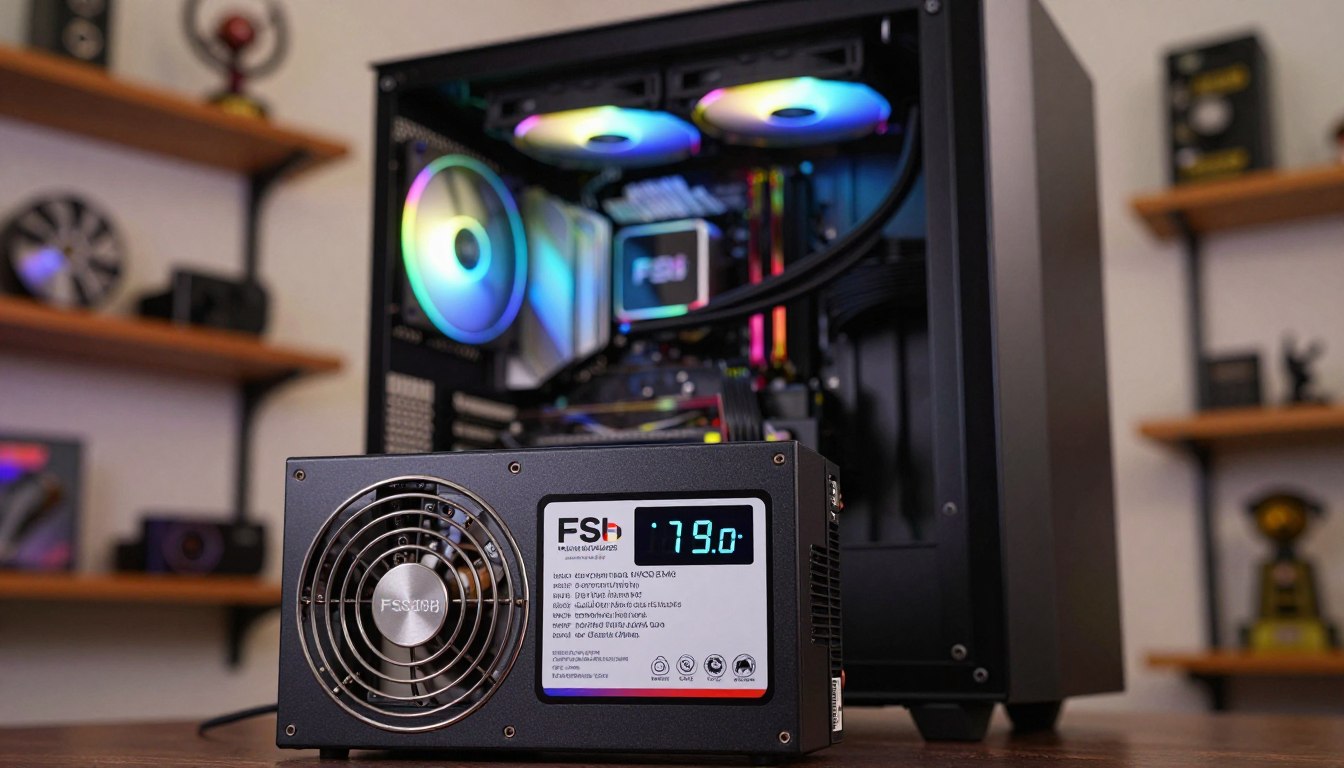
80 PLUS is a power supply efficiency standard with tiers such as Gold and Platinum. Efficiency describes how well a PSU converts electricity from the wall into power for the components; the wall measurement includes energy lost during that conversion.
A PSU’s wattage label is not a reading of the gaming PC’s continuous wall draw.
Choosing an appropriately sized PSU is a build and stability decision. It does not tell you the computer’s actual electricity bill cost, because the system does not necessarily use the PSU’s full rated output.
For energy estimates, focus on the computer’s workload and the power it takes from the outlet. That keeps the PSU capacity label from being mistaken for a measure of monthly energy consumption.
Use a wall reading or a workload-based estimate, not the PSU label alone, to calculate electricity use.
Conclusion
Your best monthly estimate starts with the hours you actually use the setup, not its maximum rated capacity. Count gaming and lighter-use time separately, and include the hours your monitor is on.
A realistic estimate also uses your own electricity rate. A measured draw can make the calculation more specific to your computer and routine than a broad wattage assumption.
Measure the setup during a representative gaming session, or use its measured draw in the kWh formula. Then apply your usual monthly hours and electricity rate to estimate energy efficiency and monthly costs in terms you can compare with your bill.
Record one representative session and use the reading, your monthly hours, and your electricity rate to estimate your own cost.
FAQ
How much does it cost to run a PC 24 7 a month?
At a constant 400-watt draw for 30 days, a PC uses 288 kWh and costs about $52.30 at 18.16 cents per kWh. That assumes the computer draws 400 watts continuously, day and night. Real use may be lower when the computer spends time on lighter tasks or in a low-power state. The result also changes with your electricity rate.
Are gaming PCs power hungry?
Gaming PCs draw 350-550 watts during frame-rate-intensive gaming, while lighter desktop use draws 100-150 watts. That makes a demanding game a much heavier workload than browsing or other basic tasks. The total energy consumption also depends on how many hours you use the computer and how often it runs demanding games. A wattage range describes power draw, not a monthly total by itself.
How much does it cost to run a gaming PC for 8 hours?
At a constant 400-watt draw for eight hours, a gaming PC uses 3.2 kWh and costs about $0.58 at 18.16 cents per kWh. This is an eight-hour example with the same draw throughout the session. If the computer draws less during some of those hours, its energy use and cost will also be lower. Your own electricity rate may differ.
Does leaving a PC on use a lot of electricity?
Desktop use draws 100-150 watts, while a modern desktop in S3 sleep draws 2-5 watts. Leaving a computer active during idle hours can add energy use over time, even if you are not gaming. Sleep lowers the draw, but it does not make it zero. How much that adds to your bill depends on the hours spent in each state and your electricity rate.
Is it bad to shut down a PC every night?
No, a normal nightly shutdown is fine. Sleep is convenient when you plan to return soon because the computer resumes quickly. Hibernation uses less power than Sleep, but it resumes more slowly. Choose based on whether you want a quick return or a full shutdown at the end of the day. Regularly shutting down at night is a normal way to finish using the computer.
What runs up your electric bill the most?
Heating and cooling are the largest annual uses of electricity in the U.S. residential sector. Your home’s other energy-consuming devices also contribute, so a gaming PC is not automatically the biggest expense. To understand its share, estimate the PC and monitor energy use, apply your household electricity rate, and compare the result with the full bill.
How much does it cost to leave a PC on for 24 hours?
At a constant 400-watt draw for 24 hours, a PC uses 9.6 kWh and costs about $1.74 at 18.16 cents per kWh. This assumes the computer holds that draw continuously for the entire day. A PC that spends some of the day on lighter tasks or in sleep uses less energy than this example. Your own rate changes the cost.
If you want to dig further into 4 categories of computer hardware explained w, read our 4 Categories of Computer Hardware Explained w guide.
If you want to dig further into why do we long for glitchy ai of past?, read our Why Do We Long for Glitchy AI of Past? guide.
If you want to dig further into how to invest in blockchain technology beginn, read our How to Invest in Blockchain Technology Beginn guide.